
DORA: third parties and LEI
A third party only appears in your Register of Information once you have said it provides ICT services under DORA. This article covers that switch, the fields it opens up, and how the platform verifies a Legal Entity Identifier against the public GLEIF register.
Overview
Navigate to: Left menu: Third-parties, then Catalogue.
The catalogue has a Digital Operational Resilience Act (DORA) tab that shows only the third parties in scope. It is the quickest way to see what your register currently contains.
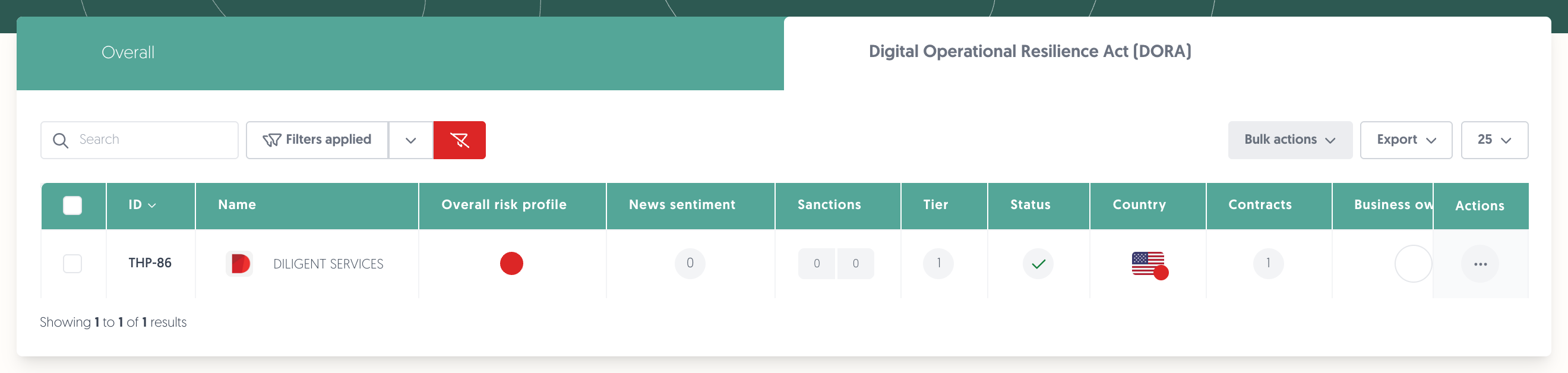
1. Put a third party in DORA scope
- Open the third party from the catalogue.
- On the General tab, answer Does this third party qualify as an ICT third-party service provider under DORA?
- Fill in the DORA fields that appear.
- Click on Save.
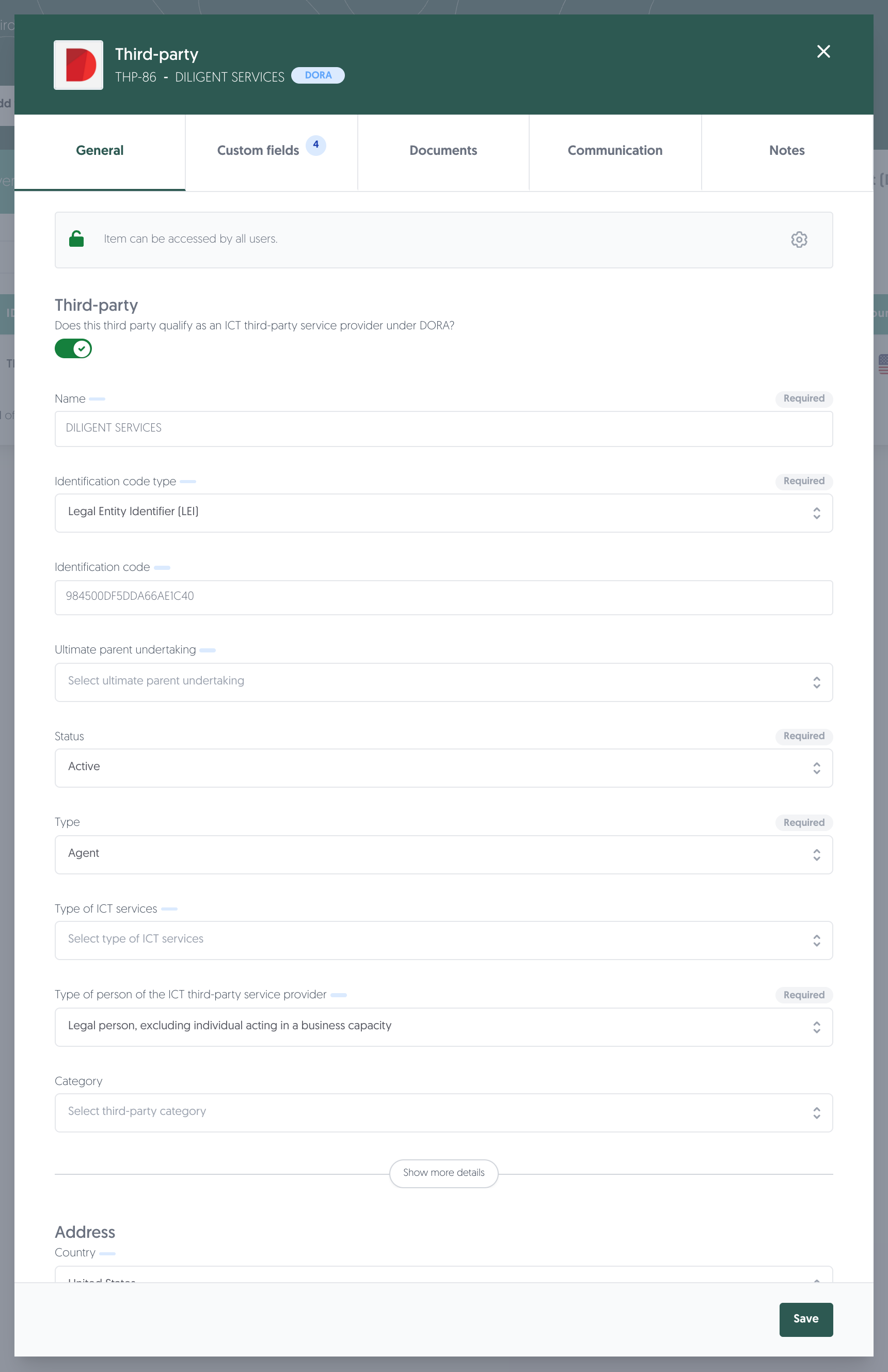
Once the answer is yes, the record carries a DORA badge in its header and the DORA fields appear on the General tab, each marked with a small indicator. There is no separate DORA tab.
Note: nothing is in scope by default. A third party that provides ICT services is not part of the register until you answer this question, and the health check will not check it either.
2. The fields the register needs
Field | What it is |
|---|---|
Name | The provider's name. Used in the LEI check, so it matters that it is the legal name. |
Identification code type | How the provider is identified. Legal Entity Identifier (LEI) is the usual choice. |
Identification code | The code itself. |
Ultimate parent undertaking | The group parent, where the provider belongs to a group. |
Type | Your own classification of the relationship. |
Type of ICT services | What they deliver. |
Type of person of the ICT third-party service provider | Legal person, individual, and so on. |
Country | On the address, and the country of the head office. |
If you set an ultimate parent undertaking, the total annual expense becomes required as well.
Note: the ultimate parent undertaking can only point at another third party that is itself in DORA scope. If the parent is missing from the list, put it in scope first.
3. LEI and GLEIF verification
When the identification code type is Legal Entity Identifier (LEI), the code is not just stored. The platform checks it against GLEIF, the public register of Legal Entity Identifiers, and applies three tests:
- Format — exactly 20 characters, letters and digits, in capitals. A lowercase code is rejected.
- Existence — the LEI has to be present in GLEIF.
- Name — the legal name GLEIF holds for that LEI has to match the name on the third party.
The third test is the one that trips people up, because it is an exact comparison. "Example Services BV" and "EXAMPLE SERVICES B.V." are treated as different. When it fails, the message tells you what GLEIF holds, in brackets:
The lei does not match the provided name. (EXAMPLE SERVICES B.V.)
The simplest fix is to copy the name out of that message, so the platform and GLEIF agree.
Note: only the LEI's existence is checked, not its registration status. A lapsed LEI still passes.
Note: results are cached briefly, so a LEI you have just corrected may take a few minutes to turn green in the health check.
When you import in bulk
The bulk import can look a LEI up for you and set the identification code type to LEI automatically. Because the name comparison still applies, the names in your file need to be the legal names GLEIF holds — otherwise the rows import but the codes do not pass the health check.
4. Contracts
A third party in scope is only half of it. The contracts for those ICT services have their own DORA setting, and the register reports the arrangements rather than the providers alone. Putting a third party in scope does not put its contracts in scope.
5. Check your work
Learn more: DORA: health check and Register of Information export
Permissions needed
Permissions needed: the permissions you already use to view and edit the third-party catalogue. No separate DORA permission exists.
Known limitations
- Nothing is in scope by default, and the switch is per record.
- The LEI name comparison is exact, and cannot be relaxed. Non-Latin legal names are known to be difficult here.
- Registration status is not checked. A lapsed or retired LEI passes the existence test.
- There is no bulk action to look up LEIs for third parties that already exist. The lookup happens during import.
- The DORA fields appear on the General tab, not on a tab of their own — if you are looking for a DORA tab on the third party, there is not one.