
DORA: your organisation
Before any third party or contract can appear in your Register of Information, your own organisation has to be described: the legal entity that files the register, the entities and branches beneath it, and the business functions that depend on ICT services.
This article covers that side. Third parties are covered separately.
Overview
Three places hold this information:
Where | What it holds |
|---|---|
Configuration → Features | Whether DORA is included in your contract, and so switched on |
Configuration → Organisation profile | The entity that files the register |
Configuration → Organisation model | Your entities, branches and functions |
1. DORA is switched on with your contract
Navigate to: Left menu: Configuration, then Features.
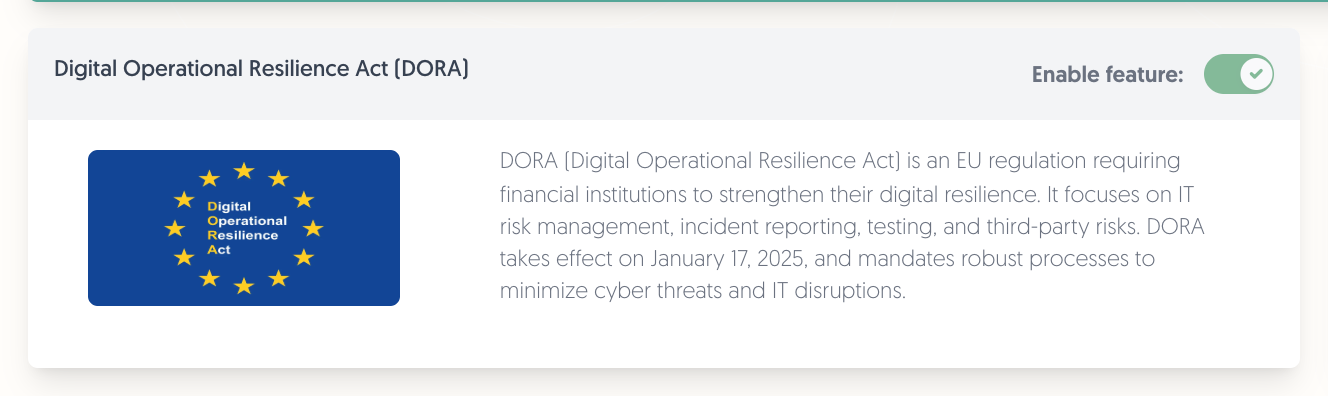
The Digital Operational Resilience Act (DORA) card shows whether the regulation is active for your platform. It is on when DORA is part of your contract.
Note: the switch is read-only — this page reports the state, it does not change it. If DORA is not part of your contract and you need it, contact sales@3rdrisk.com. While it is off, the DORA fields and the DORA: Register of information menu do not appear anywhere in the platform.
2. Complete the organisation profile
Navigate to: Left menu: Configuration, then Organisation profile.
The register needs five things from your own entity:
- LEI — your Legal Entity Identifier. It is checked against the public GLEIF register, and the registered legal name there has to match the name on your profile.
- Name
- Country
- Type of entity
- Currency
Note: the name match is exact. If GLEIF holds "EXAMPLE BANK NV" and your profile says "Example Bank N.V.", the check fails and tells you the name GLEIF holds, so you can copy it across.
3. Build the organisation model
Navigate to: Left menu: Configuration, then Organisation model.
The model is a tree. Three element types matter for DORA:
- Entity — a legal entity in your group.
- Branch — a branch of an entity.
- Function — a business function that depends on ICT services.
Elements that are part of the register carry a DORA badge in their header, and their DORA fields appear on the General tab alongside the ordinary ones. There is no separate DORA tab.
Entities
An entity in scope needs a LEI, a legal name, a country, a type of entity, its hierarchy, a date of integration, a currency and its total assets value.
Its LEI is checked the same way as your profile's: it must exist in GLEIF, and the registered legal name must match the entity's legal name exactly.
Branches
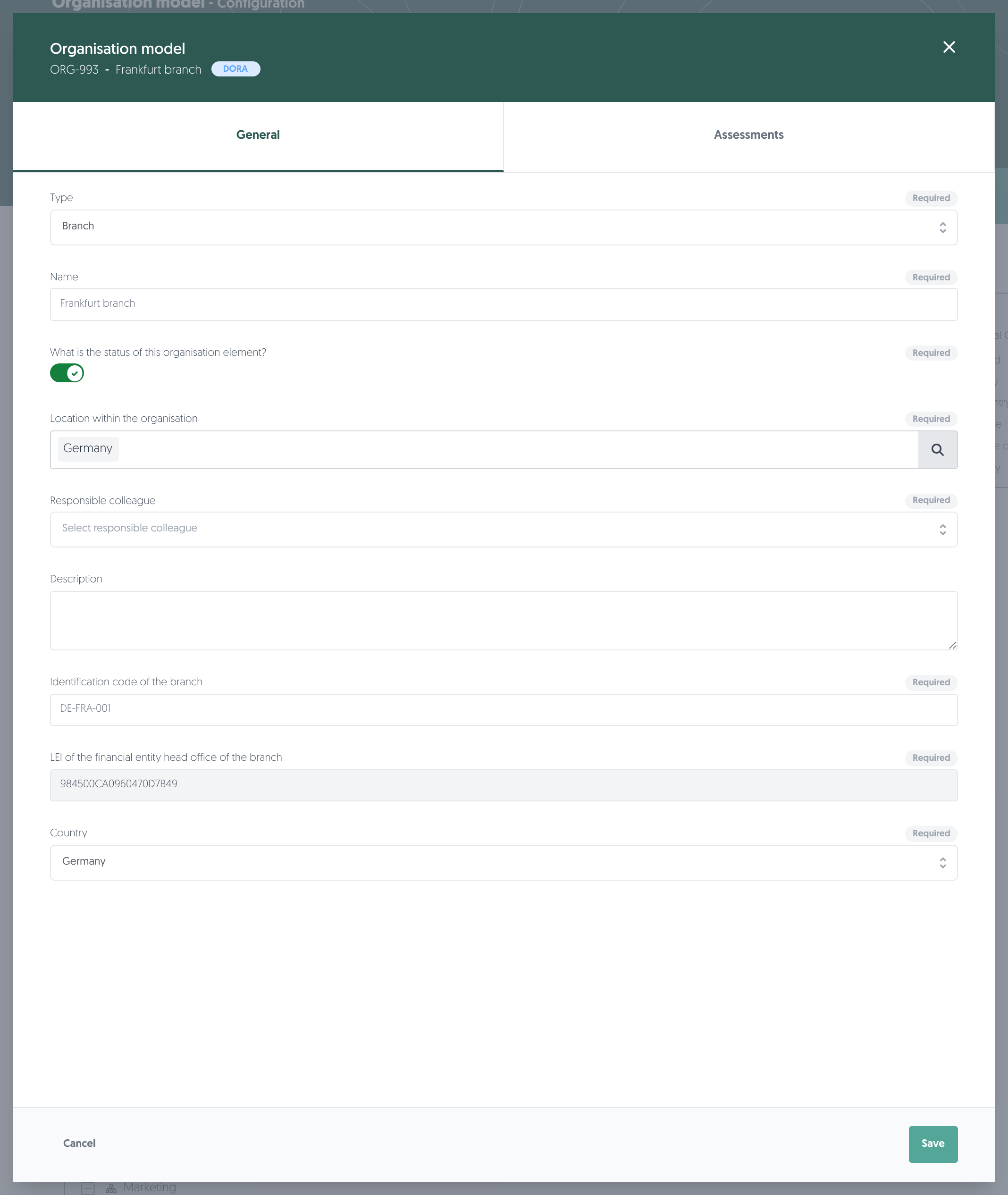
A branch needs three things:
- Identification code of the branch
- LEI of the financial entity head office of the branch
- Country
Note: for a branch the LEI only has to exist in GLEIF — the name is not compared. That is deliberate: the LEI belongs to the head office, not to the branch, so the names would not match.
Functions
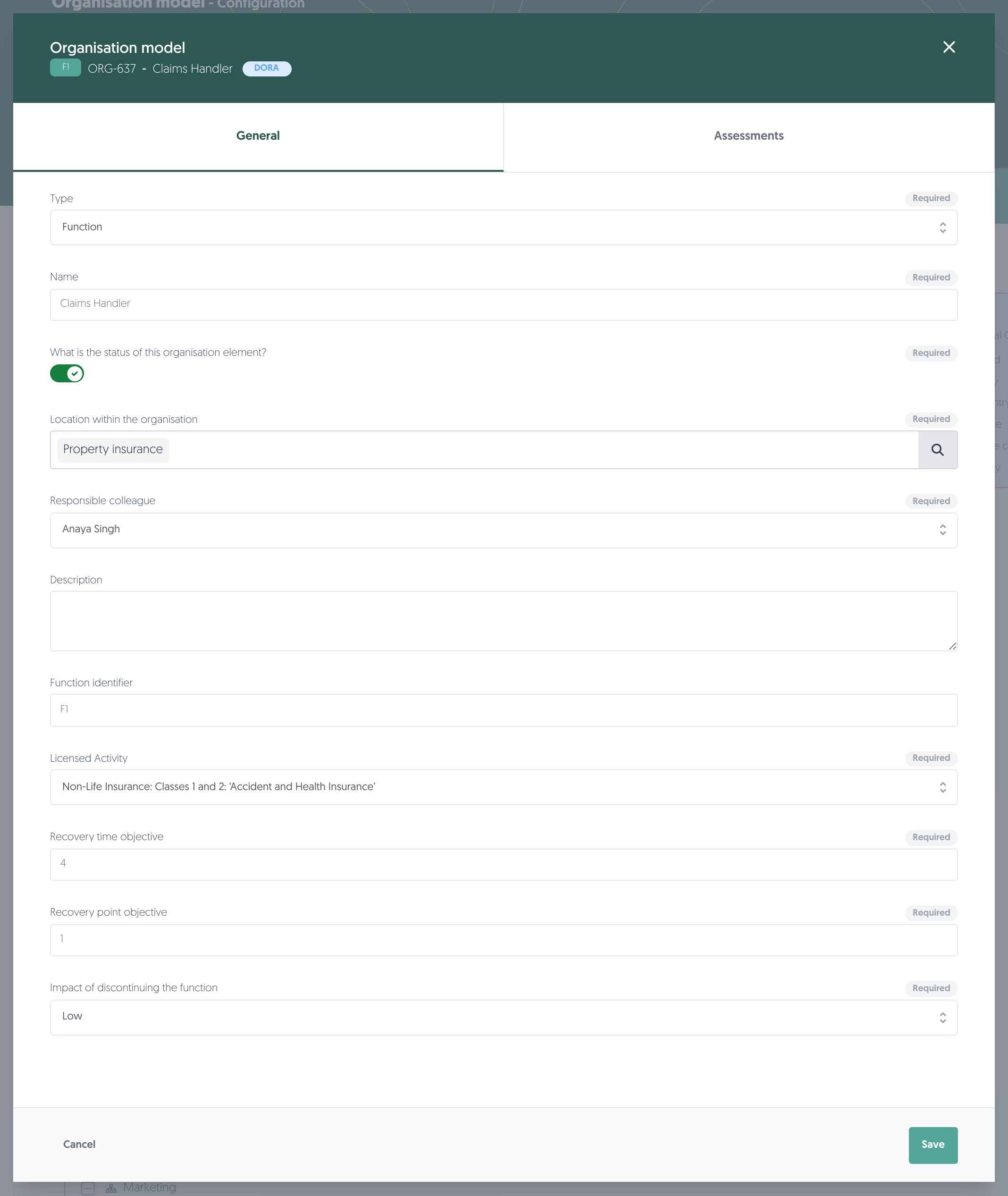
A function carries its own reference — the Function identifier, shown as a badge in the header — and five DORA fields:
- Licensed Activity
- Recovery time objective
- Recovery point objective
- Impact of discontinuing the function
- A risk assessment template, set on the Assessments tab
Note: functions and branches are always part of the register once DORA is on. Unlike third parties and contracts, they have no separate scope switch.
4. Assess a function
Click on the Assessments tab in the element.
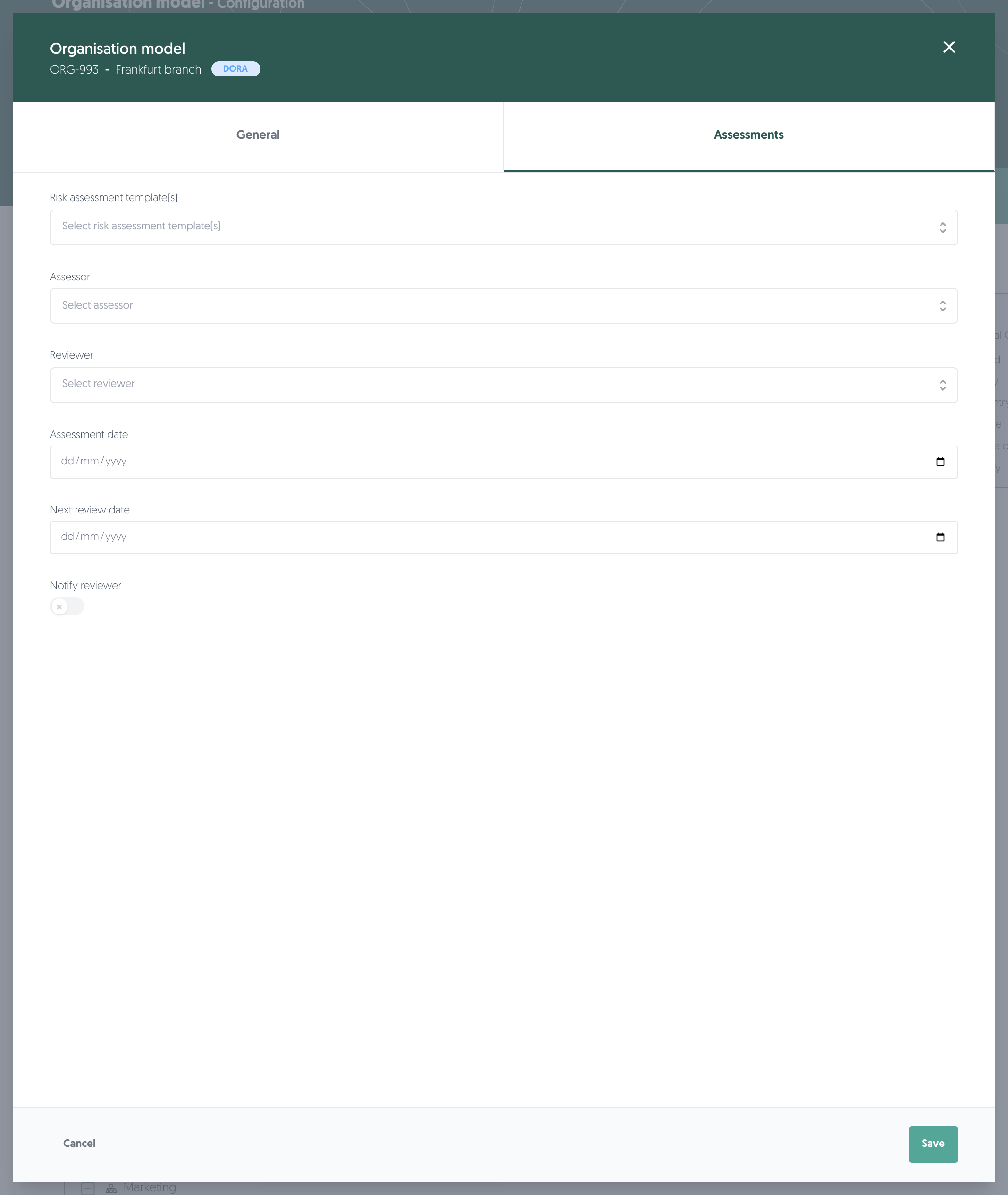
- Risk assessment template(s): the template used to assess this element. A function needs one before the health check counts it as complete.
- Assessor and Reviewer: who performs and who checks the assessment.
- Assessment date and Next review date.
- Notify reviewer: sends the reviewer a message when the assessment is ready.
This is how you record whether a function is critical or important — the judgement the register reports, and the reason a function needs an assessment at all.
Reviewers are reminded automatically as the next review date approaches.
5. Check your work
Once the profile and the model are filled in, the health check tells you what is still outstanding, per record.
Learn more: DORA: health check and Register of Information export
Permissions needed
Permissions needed: the permissions for Organisation profile and Organisation model under Configuration. The Features page needs configuration read access.
Known limitations
- You cannot switch DORA on yourself. It follows your contract, and the Features page only reports the state. To add it, contact sales@3rdrisk.com.
- Branches and functions are always in the register once DORA is on, whether or not you have filled their fields in. They will show as incomplete in the health check until you do.
- The LEI name comparison is exact for your profile and for entities, and is not applied to a branch's head-office LEI.
- An element's DORA fields only appear when that element is in DORA scope. An element the health check validates can still have its DORA inputs hidden if its own DORA setting is closed — if fields you expect are missing, check that setting first.