
DORA: contracts
The Register of Information reports contractual arrangements, not just providers. Putting a third party in DORA scope is only half the job: the contract for those ICT services has its own scope setting, and its own set of fields.
Overview
Navigate to: Left menu: Third-parties, then Contracts.
Like the catalogue, the contracts list has a Digital Operational Resilience Act (DORA) tab that shows only the contracts in scope. It is the quickest way to see what the register currently contains.
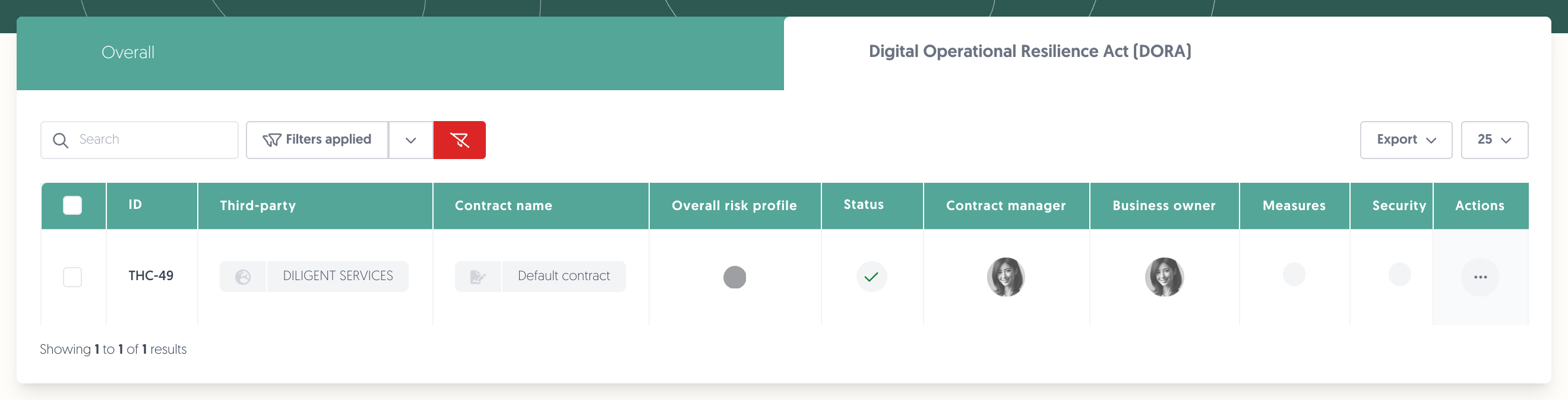
Note: putting a third party in DORA scope does not put its contracts in scope. They are separate settings, and a provider with no contract in scope contributes almost nothing to the register.
1. Put a contract in DORA scope
- Open the contract from the list and click on Edit contract.
- In This contractual arrangement falls under, choose Digital Operational Resilience Act (DORA).
- Fill in the DORA fields that appear.
- Click on Save.
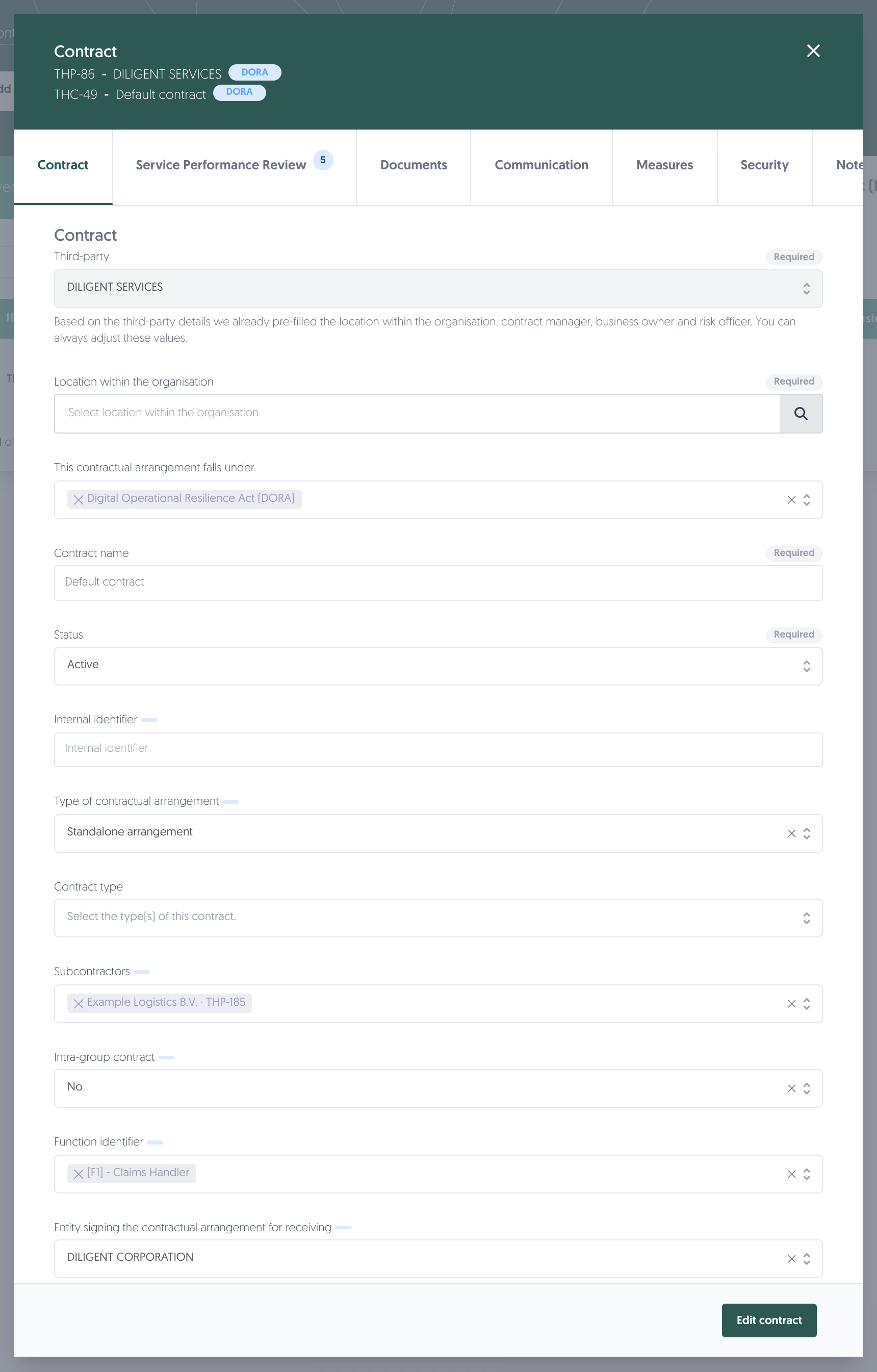
Once it is in scope, the header carries a DORA badge — one for the contract, and one for the third party it belongs to — and the DORA fields on the form are marked with a small indicator.
Note: This contractual arrangement falls under accepts more than one regulation. If your platform also has EBA switched on, the same contract can fall under DORA and EBA at once, and each field carries a marker for every regulation that asks for it.
Learn more: European Banking Authority (EBA)
Note: the contract opens read-only. Edit contract in the bottom right puts it into edit mode.
2. The fields the register needs
On the contract itself
Field | What it is |
|---|---|
Type of contractual arrangement | Standalone, overarching, or a subsequent arrangement |
Intra-group contract | Whether the provider is inside your own group |
Subcontractors | Other third parties that deliver part of the service — see below |
Function identifier | The business function this contract supports, picked from your organisation model |
Entity signing the contractual arrangement for receiving | The entity in your group that signed |
Entity signing the contractual arrangement for providing | The providing entity |
Start date and end date | |
Last review date |
About the service
Field | What it is |
|---|---|
Type of ICT services | What is delivered |
Country where the services are provided | |
Annual expense or estimated cost | |
Storage of data | Whether data is stored, and where it sits at rest |
About the risk
Field | What it is |
|---|---|
Level of reliance | How much you depend on this arrangement |
Substitutability of the ICT provider | How replaceable the provider is |
Possibility of reintegration | Whether the service could be brought back in-house |
Impact of discontinuing the ICT services | |
Notice period for the ICT service provider | |
Notice period for the financial entity |
Some fields open up others. Choosing a substitutability of not substitutable or highly complex makes the reliance dependence reason required. Choosing a subsequent or associated arrangement asks for the reference number of the overarching arrangement it sits under.
Note: the function identifier is what ties a contract to a business function, and the function is what carries the criticality judgement. A contract with no function attached leaves that link empty in the register.
3. Subcontractors
DORA asks you to report the chain, not just the party you signed with. If your provider has someone else deliver part of the service, that shows up in the register as a second link in the supply chain.
In the platform a subcontractor is a third party in your own catalogue, linked to the contract in the Subcontractors field. So before you can add one, it has to exist as a third party.
- Make sure the subcontractor exists in Third-parties → Catalogue, with an identification code.
- Open the contract and click on Edit contract.
- Add it under Subcontractors.
- Optionally give it its own type of ICT services — if you leave that empty, it inherits the contract's.
Above: Subcontractors on the contract, holding one linked third party with its reference — Example Logistics B.V. · THP-185.
What it produces
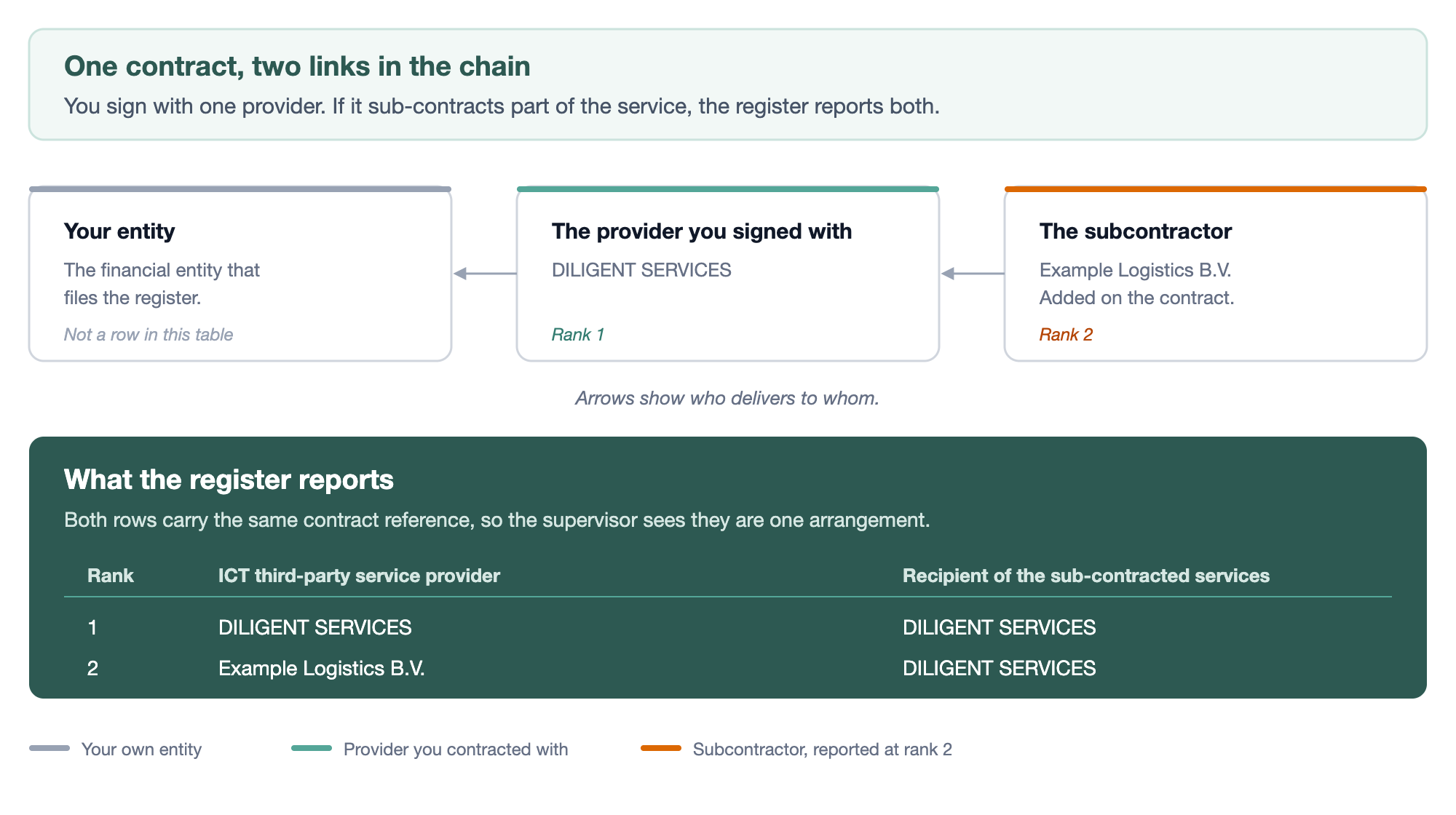
Take a contract with DILIGENT SERVICES as the provider, and one subcontractor, Example Logistics B.V., that delivers part of the service. The supply-chain table of the register then contains two rows for that one contract:
Rank | ICT third-party service provider | Recipient of the sub-contracted services |
|---|---|---|
1 | DILIGENT SERVICES | DILIGENT SERVICES |
2 | Example Logistics B.V. | DILIGENT SERVICES |
Read the second row as: Example Logistics delivers to DILIGENT SERVICES, which delivers to you. Both rows carry the same contract reference, so the supervisor can see they belong to one arrangement.
A subcontractor also appears in its own right in the list of ICT third-party providers, alongside the parties you contracted with directly. It is listed once, even if several contracts name it.
Note: adding a subcontractor does not create a contract. It records that a party is part of the chain under an existing arrangement — there is no second contract to fill in.
4. Check your work
The health check validates every contract in DORA scope and reports which fields are still missing, per contract.
Learn more: DORA: health check and Register of Information export
Permissions needed
Permissions needed: the permissions you already use to view and edit contracts. No separate DORA permission exists.
Known limitations
- Scope is per contract. A third party in scope does not bring its contracts with it.
- The DORA fields sit on the contract form, not on a tab of their own — they are marked with an indicator next to the label.
- The providing entity can only be one of your own organisation elements. For an arrangement with an external provider there is no external option, even though the field is required for every contract in scope.
- The contract opens read-only, which is easy to mistake for fields being locked. Use Edit contract.
- The supply chain goes two levels deep. A subcontractor is always reported at rank 2, so a subcontractor of a subcontractor cannot be expressed.
- On the rank 1 row the provider and the recipient columns hold the same code. That is what the export currently writes for a direct arrangement.
- On the rank 2 row the two "type of code" columns are filled from the opposite party to the code they describe. If a supervisor queries those two cells, that is why.