
API overview
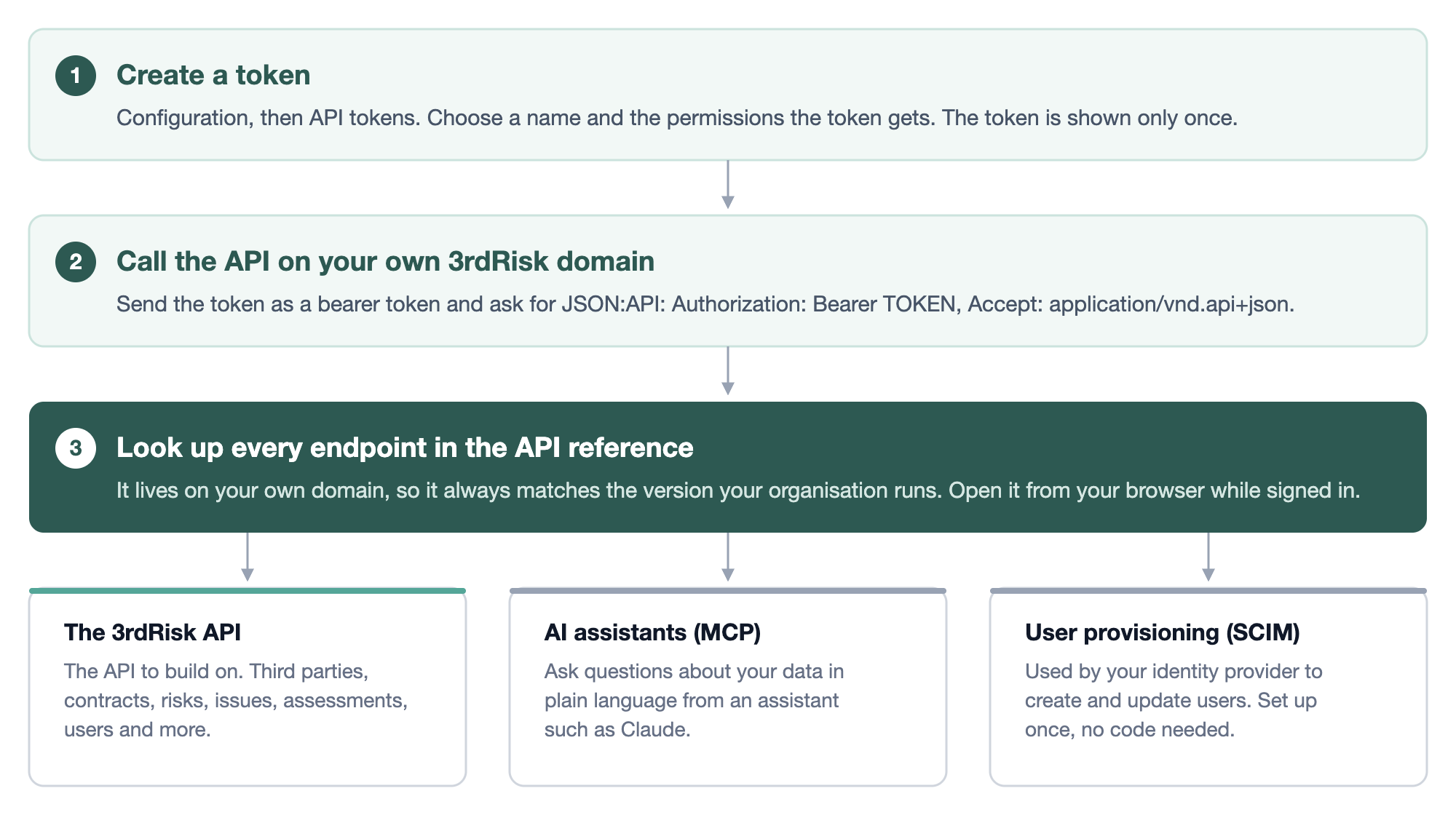
Connect your own systems to 3rdRisk through the API. Read and update third parties, contracts, risks, issues, assessments and more from your own tools, scripts or integrations.
This page gives you the overview. The full reference of every endpoint, field and filter is part of the platform itself, on your own domain, so it always matches the version your organisation runs.
Overview
The 3rdRisk API follows the JSON:API standard. Everything you need to get started is in three steps:
- Create a token in 3rdRisk. The token decides what your integration may read and change.
- Call the API on your own 3rdRisk domain and send the token with every request.
- Look up the details in the API reference, which lists every endpoint with its fields, filters and example requests.
Available when API access is enabled for your organisation. Ask your administrator or your 3rdRisk contact if you do not see API tokens in the Configuration menu.
The API reference
The reference lives on your own 3rdRisk domain:
https://<your-3rdrisk-domain>/docs/api/v2
Replace <your-3rdrisk-domain> with the address you use to sign in to 3rdRisk, for example your custom domain. The reference opens in your browser, so you must be signed in to 3rdRisk.
Note: The same reference is available as an OpenAPI file at https://<your-3rdrisk-domain>/docs/api/v2.json. Use it to generate a client or to import the API into a tool such as Postman.
Permissions needed: access to the API tokens page. To grant it, navigate to: Left menu: Configuration, then Roles.
Create a token
Navigate to: Left menu: Configuration, then API tokens.
- Click on Create new Global API token.
- Enter a Name that tells you which integration uses the token.
- Select the permissions the token gets. For every part of the platform you can choose Read, Create, Update, Delete or Action. Select at least one permission.
- Click on Save.
- Copy the token and store it safely. It is shown only once.
You can only give a token permissions that you have yourself.
The API tokens page lists every token with its name, permissions, when it was last used, who issued it and when it was created. Use Delete token in the Actions column to remove a token. An integration that uses it stops working immediately.
Note: These are global tokens. They are not bound to your user account, so they keep working when your account is deleted. Delete a token when the integration no longer needs it.
Send your first request
Every request goes to your own 3rdRisk domain and carries two headers:
Authorization: Bearer <token>
Accept: application/vnd.api+json
For example, to read the first five third parties:
curl -H "Authorization: Bearer <token>" \
     -H "Accept: application/vnd.api+json" \
     "https://<your-3rdrisk-domain>/api/v2/third-parties?page[size]=5"
Responses follow the JSON:API structure: a data object with the type, id, attributes and relationships of each record, and optionally included, meta and links.
Common query parameters on list endpoints:
filter[<field>]narrows the result, for examplefilter[name]=Acme.
include=<relation>returns related records in the same response.
fields[<type>]returns only the fields you list.
sort=<field>orsort=-<field>sorts ascending or descending.
page[number]andpage[size]page through the results.
What you can reach
The API covers, among others:
- Third parties, with their owners, tags, documents, custom field values and risk profiles.
- Contracts, with their types, currencies, payment terms and notice periods.
- Risks and their levels, types, impact and likelihood.
- Issues and action plans.
- Assessments, assessment catalogues, questionnaires and their answers. Available when assessments are enabled for your organisation.
- Frameworks, framework sections and controls.
- Risk domains, their questions and answers.
- Sanctions and AI-generated risk profiles.
- Users, roles and access domains.
- Tags, custom fields, news items and documents.
The API reference shows the exact list, and which actions each part supports. Where an action is not offered, for example archiving an assessment, the reference leaves it out.
Other ways to connect
- User provisioning (SCIM) lets your identity provider create and update users automatically. Learn more: Microsoft Entra ID user provisioning (SCIM)
- MCP lets an AI assistant such as Claude work with your data in plain language. Learn more: Talk to your data with MCP
Known limitations
- The API reference is only available to users who are signed in and may open the API tokens page.
- Requests are limited to 60 per minute. When you reach the limit, wait a moment and try again.
- Tokens are global and not tied to a user account.